
You can only contact a researcher if you're confirmed for their study. Once you're confirmed, you may need to reach out for reasons like:
- Rescheduling your session
- Getting instructions or details about the study
- Troubleshooting issues with an app or service
- Parking, arrival, or contact information
- General questions about the study
Use the Messages tool to contact the researcher directly. It works like a chat box, and we'll notify you by email (and text if you've opted in) when you have a new message.
Note: The Messages tool may not be available if you're not confirmed for the study or if the study has closed.
How to use the Messages tool
- Log in to your account
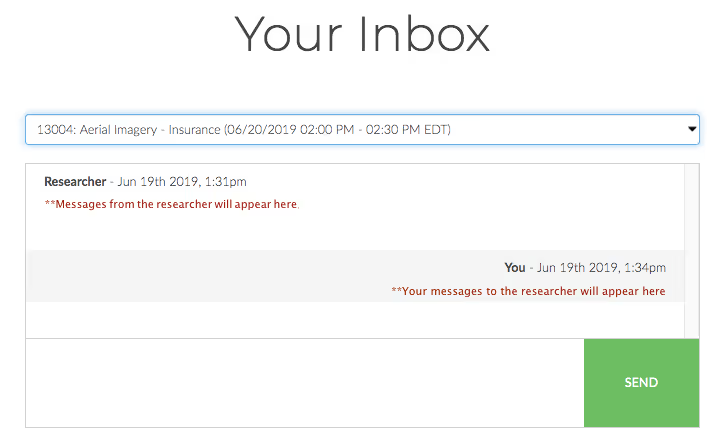
- Select Messages in the header. The Messages tool will open to Your Inbox.
- Select the study you need from the dropdown.

- Once you've selected a study, the chat will open. Messages from the researcher appear on the left; your messages appear on the right.
- Type your message in the field at the bottom and select Send.
Tip: You can also access the Messages tool directly from your confirmation email. Scroll to the bottom of the email to find the button.

Give researchers up to 48 hours to reply. Keep in mind that many researchers don't check messages after business hours or on weekends. Still no reply after 48 hours? Sign in and chat with Edison, our virtual assistant. Edison will help you reach our Support team.